

Payroll and HR,
done right.
Run payroll in minutes, pay your people on time, and give every employee their own login for pay stubs, time off and the time clock.
- No credit card
- Set up in an afternoon
- Encrypted SSNs & bank data
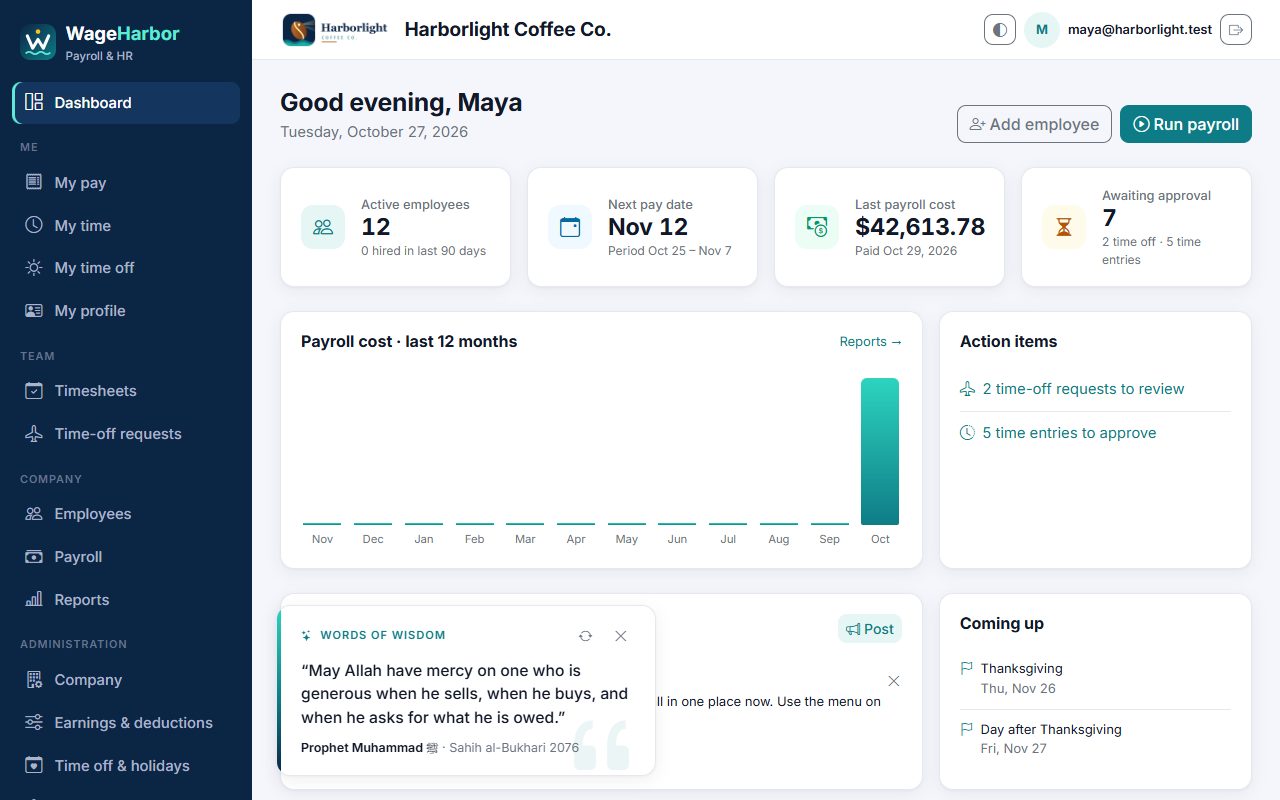
Everything a small team needs
From the first hire to year-end forms, in one place.
Automatic payroll taxes
Federal income tax, Social Security, Medicare, state withholding, FUTA and SUTA, worked out for every paycheck.
Direct deposit
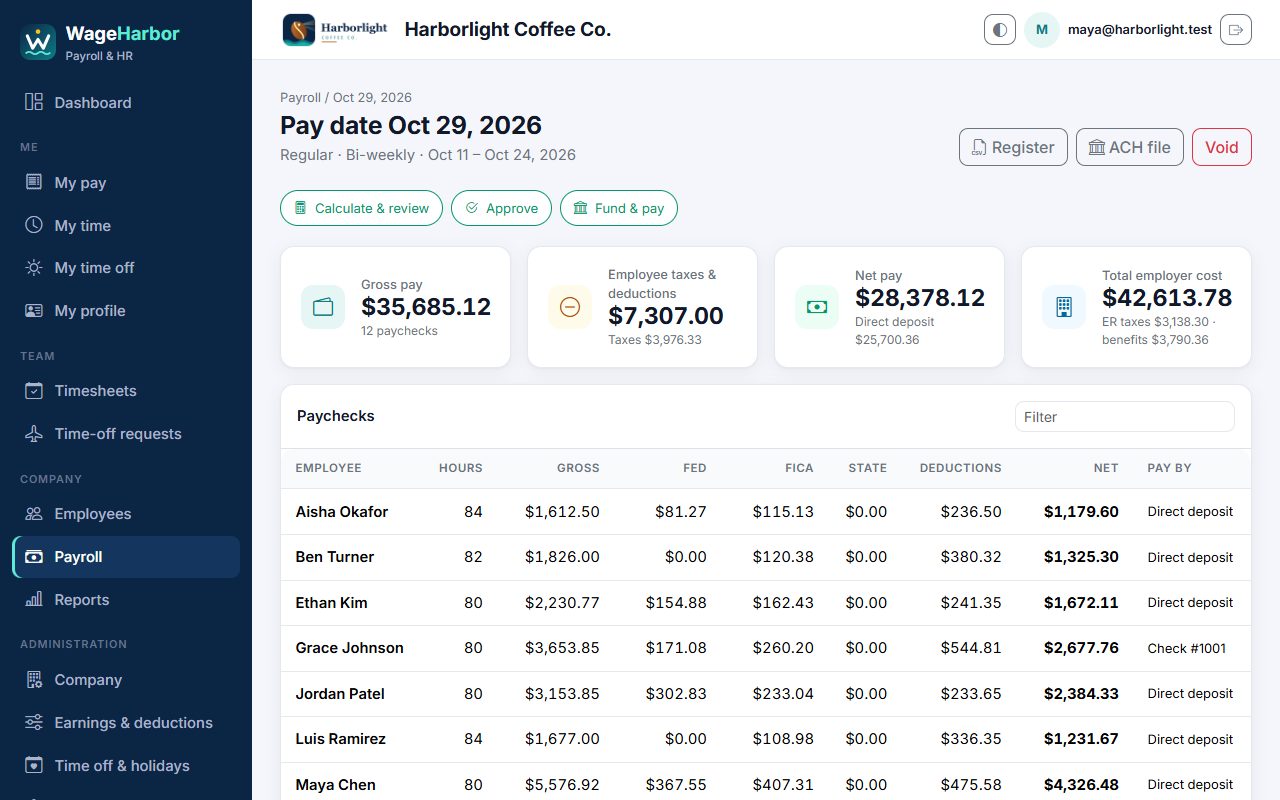
Split pay across accounts and download a NACHA ACH file for your bank. Paper checks work too.
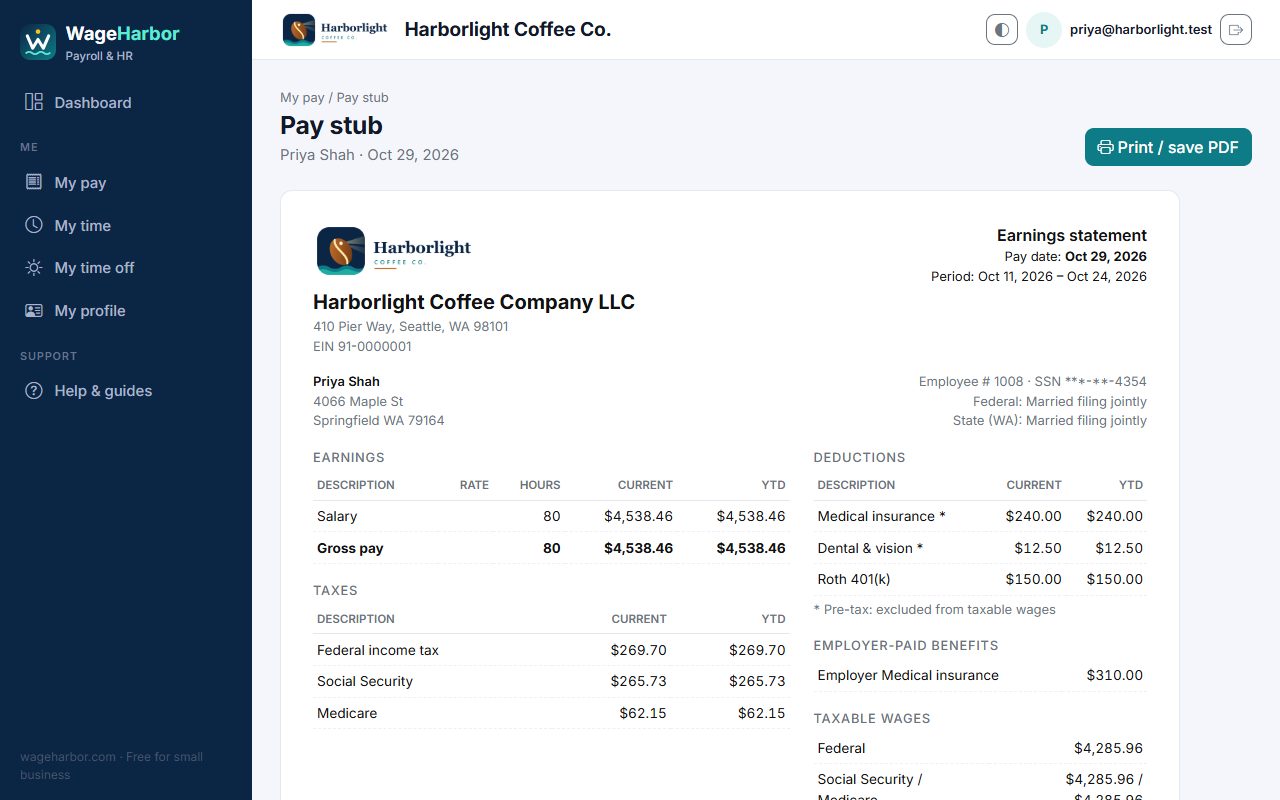
Pay stubs with your logo
Every employee can view, print or save their pay stubs as PDF, with your company name and logo on top.
Time clock & overtime
Employees clock in and out from any device. Managers approve time, and overtime is calculated for you.
Time off & holidays
Vacation and sick-leave accruals, requests and approvals, and a company holiday calendar.
Reports & year-end
Payroll register, tax liability, Form 941 worksheet, W-2 and 1099 summaries. Export to CSV for your accountant.
Up and running in three steps
The company guide walks you through each one with pictures.
Register your company
Name, state, your email and a password. That's it. You're the company's admin.
Add your people
Pay rates, W-4s and bank details. Invite each employee with their own login.
Run payroll
Calculate, review, approve, then mark it paid. Pay stubs appear for your team straight away.
“Give the worker his wages before his sweat dries.”
WageHarbor exists for one simple idea: people should be paid correctly and on time. We built it so every small business, from a corner café to a growing crew, can do that without expensive software. Read our story →
Everyone gets their own login
Your team sees their pay without having to ask HR:
- Pay stubs and year-to-date totals, ready to print or save as PDF
- Clock in and out, or enter hours
- Request time off and see balances
- Update address and W-4 themselves
Built to keep payroll private
- Social Security and bank numbers are encrypted and always shown masked
- Every company's data is kept separate. Other companies can never see yours
- Roles for Admin, HR, Payroll, Manager and Employee, plus two-step sign-in
- An audit log of who changed what, and when
Simple, honest pricing
WageHarbor is free for small businesses, with no catch.
Every feature, for your whole team.
- Unlimited payroll runs
- Employee logins and self-service
- Time clock, time off and reports
- Your logo on every page and pay stub
WageHarbor calculates payroll taxes; your company files and pays them. Always check tax rates against official IRS and state guidance.
Questions
Why is WageHarbor free? What's the catch?
There isn't one. WageHarbor was built so small businesses can pay their people correctly and on time without expensive software. That mission comes first. We don't show ads, we don't sell or share your company's or employees' data, and we don't ask for a credit card. If we ever add paid options, for example for larger companies, we'll tell you well in advance, nothing changes without your choice, and your records stay yours to print and export. See our Terms and Privacy policy.
Who is WageHarbor for?
US small businesses with salaried, hourly and contract (1099) workers who want to run payroll themselves, with clear pay stubs and self-service for their team.
Does WageHarbor file my payroll taxes?
No. WageHarbor calculates withholding and employer taxes and gives you the totals and reports (tax liability, Form 941 worksheet, W-2 and 1099 summaries). You or your accountant make the deposits and filings.
How do employees get paid?
By direct deposit, using the ACH file WageHarbor creates for your bank, or by paper check.
Can my bookkeeper or accountant use it?
Yes. Give them a login with the Payroll or HR role, and they can run reports and export CSV files.
Is my data safe?
Sensitive numbers are encrypted, each company's data is kept separate, and access is based on roles. See Security for details.
Pay your people right, starting today.
Register in two minutes. Free for small business.
Register your company